
tunnel vision in high-stress design
lowkey just stumbled onto some old research regarding how stress affects perception and it is a huge wake up call for anyone building emergency or high-stakes interfaces. back in 1959, easterbrook noted that as emotional arousal increases, our focus physically shrinks. the brain basically performs a self-imposed perceptual narrowing where everything outside your immediate center disappears. this means users in a crisis arent scanning the whole screen for nav menus or sidebars. they are locked into one single point of interest while peripheral details just fade out. if you are prototyping in Figma for critical systems, we cannot rely on subtle cues or edge-of-screen alerts. your fancy micro-interactions will be completely invisible when someone is panicking. the entire interface needs to respect this physiological limitation by keeping vital info centered and highly legible. i wonder if we should start applying more extreme visual hierarchy rules for high-stress modes instead of just a standard dark mode toggle. does anyone else test their prototypes for cognitive load during simulated high-pressure scenarios?link: https://uxplanet.org/designing-for-the-wrong-user-33178f5cb5b8?source=rss----819cc2aaeee0---4

stop using fixed heights for buttons
using padding: 0.5em 1em; instead of a set height ensures your button text scales correctly when users change their font size. it prevents that annoying truncation you see in many desktop-only designs and keeps the touch target accessible for mobile ⚡
glassmorphism blur fix for low-res displays
sometimes a standardbackdrop-filter: blur(10px);looks jittery on older mobile screens. try adding a subtle
rgba(255, 255, 255, 0.1)background color to the same element to help the eye define the edge. it makes the interface feel much more solid and less like a mistake.
>the secret is the opacity layer

ts 7.0 rc migration guide
found this breakdown for moving to the go rewrite and its actually readable ]. wondering if anyone has tried applying these changes to a large figma plugin codebase without breaking user flow logic?article: https://www.sitepoint.com/typescript-70-rc-the-go-rewrite-migration-guide/?utm_source=rss

is figma trying to outrun the devs?
ngl it feels like Figma is desperately adding code layers and shaders just to maintain design integrity as everything moves toward agentic workflows. maybe they're afraid of being skipped entirely byarticle: https://uxdesign.cc/rethinking-figma-in-an-ai-world-0facba587ba5?source=rss----138adf9c44c---4

dark patterns of retention
found this flow today where clicking cancel just triggers a massive gallery of lost content instead of a form. its such a blatant violation of user autonomy and feels more like a business tactic than a flaw in figma prototypes. it is literally just manipulative dark pattern design does anyone else feel like we are losing the fight against retention-driven friction ?more here: https://uxdesign.cc/someone-designed-this-2d48482b64df?source=rss----138adf9c44c---4
how to handle edge cases in user flows?
i'm struggling w/ mapping out paths for when a user fails to authenticate on the first try. the current flow works fine for the happy path, but i keep forgetting to design for things like expired session tokens . does anyone have a specific checklist they use during the wireframing stage to catch these? it feels like i'm
google shifting focus to loyalty over traffic
ngl google is basically moving away from the hunt for raw clicks and leaning into a system that prioritizes retention. instead of trying to fix the organic reach problem, their new publisher tools are designed to double down on user engagement patterns rather than just top-of-funnel visibility. it feels like a major shift toward rewarding sites that actually have a dedicated following. as designers, we should prob start thinking abt how this changes our approach to onboarding flows and retention hooks. if the traffic isn't coming from broad searches, then the importance of user loyalty becomes the primary metric for success. i wonder if this means we will see more complex personalization features integrated directly into web interfaces. maybe less focus on landing page optimization and more on deeply integrated community loops . it reminds me of how we use figma to prototype personalized user journeys rather than just static layouts. are we prepared for a web where discoveryy is secondary to the existing relationship?article: https://www.searchenginejournal.com/google-is-building-an-audience-loyalty-ecosystem/578690/

is figma becoming a dev tool?
lowkey it feels like Figma is trying to stay relevant by absorbing motion and shaders into the canvas, but i wonder if this ruins seamless handoff spoileror just makes the file too heavy to use.>is design even separate from code anymore?
more here: https://uxdesign.cc/rethinking-figma-in-an-ai-world-0facba587ba5?source=rss----138adf9c44c---4

uk hiring guide for product teams
fr found this breakdown on managing a UK-based design squad w/o hitting legal snags. it covers everything from hiring freelance partners to navigating hmrc and acas requirements for roles like designops or researchers. spoilerits basically a checklist to ensure your team building follows proper compliance standards instead of just winging it.full read: https://uxplanet.org/hiring-a-product-team-in-the-uk-here-is-what-you-need-to-know-c8525bcf31d1?source=rss----819cc2aaeee0---4
bottleneck in carbon
just saw 76 open contributions sitting in the carbon repo, with some stuck since april just waiting for a single review. it feels like were still relying way too much on human intuition instead of automating our design governance workflows. maybe it is time to let ai handle the grunt work>one more review
more here: https://uxdesign.cc/your-design-system-runs-on-one-persons-judgment-ai-is-about-to-prove-it-4e969a862765?source=rss----138adf9c44c---4

making sense of ai agents
found this breakdown on how agents differ from standard chat interfaces. instead of just responding to prompts, they actually execute workflows by decoupling intent from execution thru autonomous decision making. it is like moving from a simple text box to an automated layer that can use figma plugins or other apps to finish tasks without us babysitting the process . do you think this will eventually makearticle: https://ahrefs.com/blog/what-is-an-ai-agent/

making high-fidelity loaders with claude code
just stumbled onto a way to build those polished, bouncy animations that usually take hours in figma or after effects. i started playing around with claude code to handle the heavy lifting for the logic and motion curves. it is pretty wild how much you can achieve without manually tweaking every single keyframe for micro-interactions*. instead of struggling with complex svg paths, you just describe the vibe and let the agent generate the css or react components.>it basically feels like prototyping at the speed of thought.
the result is something that looks totally premium, almost like a high-end dribbble shot but actually functional in a live build. it definitely helps maintain visual consistency across the entire component library without much effort. it might actually make manual css animation obsolete . has anyone else tried using agentic workflows to bypass the usual motion design bottleneck? i am curious if this works as well for complex state transitions or if it is just good for simple loops.
article: https://uxplanet.org/loading-animation-design-with-claude-code-43c711bbc07d?source=rss----819cc2aaeee0---4

stop relying on generic alt text
when deisgning for screen readers, avoid describing every single pixel of an image. instead, focus on the functional purpose of the element so users can navigate efficiently. too much detail just creates noise and makes the interface feel cluttered to those using assistive technology.
claude design overhaul is finally here
the new imports from Figma make it much easier to maintain visual consistency without that endless token drain we were all dealing with lately. anyone else finding the new editing workflow actually follows proper usability principles for once?link: https://uxplanet.org/claude-design-just-got-a-major-update-270ad55087f3?source=rss----819cc2aaeee0---4
death of the pixel pusher
everyone is panicking because of all that massive capex flowing into data centers, but we can't just rely on figma components anymore. to stay relevant, we need to pivot toward system thinking and actually learn how to build what we design.is anyone else moving away from pure visual design to focus more on logic
more here: https://uxdesign.cc/one-skill-separates-the-designers-who-survive-2026-from-the-ones-who-dont-f4dec8c3ffe0?source=rss----138adf9c44c---4
found a cool breakdown of the a2ui engine
its wild how sales and pm are using ai prototyping tools to ship functional builds, but they often miss critical interaction patterns that prevent long-term friction. the real work is in those tiny details that keep the architecture scalable once you move beyond a basic mockup. does anyone else feel like were moving toward a world wherehttps://uxdesign.cc/access-is-not-mastery-the-polymath-ux-architect-a2ui-under-the-hood-88edc2288979?source=rss----138adf9c44c---4

design is actually moving up in the world
everyone is so obsessed w/ model benchmarks that they're missing how big tech is shifting design into a strategic powerhouse instead of just a support role. saw silke bochat's post abt this and it got me thinking about how our user-centered approach matters more when we aren't just automating everything. maybe the real win isn't the ai itself but how we use it to drive business value is anyone else seeing this shift in their current sprints?more here: https://uxdesign.cc/while-everyone-talks-about-ai-design-is-gaining-power-a6fd0db3f0a2?source=rss----138adf9c44c---4

death of standard navigation patterns
everyone seems to be moving toward gestural interfaces that bypass traditional menus entirely. it feels like we are losing the ability to provide clear signifiers for new users. it is actually just making everything harder to learn and we might be prioritizing aesthetic minimalism over actual usability.
end of the t-shaped era
just saw a post arguing that being a specialist is becoming a dead end bc ai handles the execution gap. since figma and other automation tools can now bridge the distance btwn concept and high-fidelity, we are moving toward a world of the polymath architect. it feels like deep expertise in one niche isn't enough to stay relevant when one person can handle an entire product lifecycle. the era of the narrow specialist is over . we need to focus on cross-disciplinary strategy rather than just mastering a single craft. do you think it is still possible to build a career around user centricity w/o knowing how to code or manage product logic?found this here: https://uxdesign.cc/the-t-shaped-ux-professional-is-giving-way-to-the-polymath-architect-987008ada937?source=rss----138adf9c44c---4
organizing my claude code workspace
i've been experimenting w/ a new directory setup to keep my design handoffs cleaner when moving from figma to dev. it helps maintain clear information architecture by separating prompts from the actual logic files. it saved me so much debugging time>does anyone else use a specific folder for their system tokens?
full read: https://uxplanet.org/claude-code-project-structure-for-design-project-00cb36f3cbee?source=rss----819cc2aaeee0---4

death of skeuomorphism in spatial computing
we are seeing a massive shift as interfaces move away from flat design and toward depth-based layers. the transition to 3d primitives makes it harder to maintain visual hierarchy without heavy reliance on shadows and lighting. designers need to focus on how objects inhabit a physical space rather than just placing them on a screen.>the user expects depth to signify importance
some people think we are going back to old skeuomorphism, but it is actually just about physics-based motion . focusing too muchh on pixel perfection might be

making the most of design. md
i've been using DESIGN. md to keep my figma workflows from falling apart when i switch btwn prompts. it helps maintain visual consistency by acting as a single source of truth for the ai. it basically saves me from re-explaining every single padding and color rule every time . anyone else found specific ways to structure their documentation for better results?full read: https://uxplanet.org/design-md-best-practices-c00325e8b23a?source=rss----819cc2aaeee0---4

beauty of imperfection
lately ive been thinking abt how generative ai makes achieving high fidelity feel trivial in figma. if a machine can generate a pixel-perfect interface in seconds, then polished UI loses its value as a signal of effort. it reminds me of that 1960s study where listeners liked a quiz contestant more after he spilled coffee on himself. maybe we should stop chasing flawless execution and focus on humanizing the experience . is there any real value left inlink: https://uxdesign.cc/the-flaw-is-the-feature-e6769c5cf5b4?source=rss----138adf9c44c---4
how to handle accessibility in dark mode transitions
is anyone else struggling with color contrast when switching themes? low light environments make it hard to maintain WCAG compliance without making the ui look way too muddy
low-fi wireframing vs high-fidelity prototyping
deciding btwn paper sketches and interactive prototypes depends entirely on your current. while paper is great for rapid iteration , it lacks the essential micro-interactions needed to test usability. don't waste time polishing pixels before you validate the flow .
found this deep dive on a2ui
just stumbled onto some dev docs about a2ui and it seems like a total shift toward radically adaptive interfaces rather than just static components in figma. **is our entire workflow about to becomehttps://uxdesign.cc/a2ui-under-the-hood-designing-for-the-new-era-of-radically-adaptive-ui-cebbf5f32fbe?source=rss----138adf9c44c---4

zero-interaction design experiment
try designing a mobile interface that requires zero taps to complete a task. focus on using ambient sensors or haptics to drive the user experience instead of traditional buttons. it is much harder than it looks
design systems vs component libraries
choosing between a full design system and just a library of components changes how you handle scalability . building a system requires more upfront effort but prevents massive technical debt later on. it is the difference between structured growth and uncontrolled chaos.
death of design is a myth
everyone is obsessed w/ how automated workflows are replacing us, but it's just shifting our roles into more specialized building. we aren't being replaced; we are just integrating cross-functional expertise into everything we do in Figma. designers are just engineers with better taste what do u think abt this shift toward the builder mindset?full read: https://uxdesign.cc/no-design-is-not-dead-neither-is-engineering-or-product-bd6019410818?source=rss----138adf9c44c---4

invisible friction in fintech
spent some time digging thru my old work from paypal and highnote and realized that micro-interactions matter way more than any flashy brand identity. most of the trust is built in those tiny, unscripted moments we often overlook while polishing our figma prototypes. it's usually about how we handle error states or loading delays rather than the hero imagery. anyone else find that these edge cases are where the real design work happens?article: https://uxdesign.cc/the-hidden-ux-of-payments-22b97440be16?source=rss----138adf9c44c---4

logo prototyping with claude code
been using claude code to spin up logo concepts and its a total game changer for rapid iteration before moving into figma. **does anyone else find it makes u skip the initial sketching phase entirelyarticle: https://uxplanet.org/logo-design-with-claude-code-a86c4cb06f4c?source=rss----819cc2aaeee0---4

era of generic ai interfaces
found this breakdown on how to spot that specific ai aesthetic in modern web design. it's all abt flawless symmetry and those soft gradients that feel too clinical to be human. maybe we need more grit in our layouts>it feels exhaled rather than drawn. anyone else tired of seeing the same centered hero pattern across every new startup?
found this here: https://uxdesign.cc/fluent-ai-liquid-glass-flaw-as-a-feature-ax-design-4172e246cd8e?source=rss----138adf9c44c---4

designing for ai and the permalink problem
just stumbled onto this weekly digest about the chaos of designing for ai. it captures that feeling of working with unstable foundations where we are basically just making up new rules as we go. we are all trying to master new interaction patterns while the software is still being built by the very models we use.>no settled patterns, no agreed vocabulary
it feels like we are all just guessing at what works until some new update breaks our entire workflow. does anyone else feel like we are just rebranding old automation as something mystical lmao?
full read: https://uxdesign.cc/designing-for-ai-the-permalink-problem-vibe-designing-5a13e857b6a3?source=rss----138adf9c44c---4

28 google rich snippets you should know
found this breakdown of 28 different snippet types that reallyy impacts visual hierarchy on the serp. does anyone else think these enriched results are making it harder to maintain consistent brand identity for our clients? it feels like we're losing control to the algorithmarticle: https://mangools.com/blog/google-rich-snippets-guide/
hidden cost of cultural bias in ai
designing for chat isn't just about the flow in figma, it is about preventing a complete failure in user trust when the tone misses the mark. a recent study across germany, south africa, usa, and india shows that ignoring local context can wreck your retention metrics by making the bot feel fundamentally alien . does anyone else prioritize localization research before even starting the low-fi wireframes?more here: https://uxdesign.cc/how-difficult-could-it-be-to-design-a-chatbot-5967e39563cc?source=rss----138adf9c44c---4

how to actually use your pto
found this breakdown on how to vet companies for unlimited leave instead of just assuming it's a benefit. it helps u spot toxic culture signals before u even open Figma for a new job it's usually just a trap to avoid paying out unused days .full read: https://www.glassdoor.com/blog/dont-limit-yourself-with-unlimited-pto/

understanding social crm beyond the basics
just stumbled onto this breakdown of how social data integrates into our workflows. its interesting to see how moving away from traditional databases toward real-time user feedback can change our approach to user-centric design. it makes me wonder if we are even using our current CRM tools correctly for tracking sentimenthttps://blog.hootsuite.com/social-crm/

design fatigue in the age of agents
moving from canvas manipulation to managing agent workflows feels like a different kind of cognitive load that changes how i actually sit at my desk. does anyone else feel like the physical act of designing is becoming more about instruction than gesture ?link: https://uxdesign.cc/the-gesture-and-the-instruction-4f90d5a6b8f5?source=rss----138adf9c44c---4
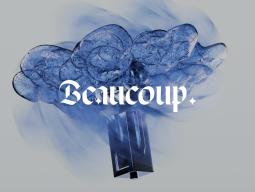
found this studio beaucoup doing some wild stuff
ngl just stumbled onto beaucoup's portfolio and their approach to sensory branding is next level. they are blending 3d design w/ immersive web layers to move way beyond static layouts. it feels like they are prioritizing emotional resonance over simple usability. most of their work looks like it was built in spline or maybe even custom engines to get that depth. it makes standard 2d interfaces look boring anyone else experimenting with 3d elements in their recent figma handoffs?https://tympanus.net/codrops/2026/06/01/beaucoup-and-the-pursuit-of-memorable-experiences/

designing for pediatric pain management
thinking abt how we use sensory distraction to mask discomfort after seeing this piece on kids' medical tech. spoenterit made me realize how muchh we ignore subconscious habits like skin picking in our figma prototypes/spoenter. anyone else experimenting w/ haptic feedback to address these types of nervous behaviors?full read: https://uxdesign.cc/design-for-pain-how-to-make-the-worst-moment-better-7b1a54a7dd7d?source=rss----138adf9c44c---4
design roles aren't dying, they're just rebranding
everyone is spiraling about a total jobpocalypse lately. seeing so many threads claiming that ai automation makes our skillsmore here: https://uxdesign.cc/designs-alive-and-kicking-it-just-got-some-flashy-new-names-779b4503c869?source=rss----138adf9c44c---4

skeuomorphism vs flat design in spatial computing
moving back to skeuomorphic elements feels necessary when designing for spatial interfaces . while flat design works for 2D mobile screens, it lacks the depth needed to communicate affordance in a 3D environment. adding texture and shadows helps users understand which objects are interactive and which are just background decorations . pure flat layers often get lost in complex volumetric scenes. using tactile cues makes the interface feel muchh more grounded. ➡ heavy reliance on depth is becoming the new standard for immersive ux lmao.
claude fable 5 for product designers
just started testing the new mythos-class model for my latest figma workflow. it seems to prioritize user safety muchh more than previous versions, which is great but might limit some edge case brainstorming . does anyone else think the guardrails are getting a bit too heavy for rapid prototyping?article: https://uxplanet.org/claude-fable-5-for-product-designers-8858690a420a?source=rss----819cc2aaeee0---4

incentive design and the jakarta bus lesson
ngl i was thinking about how user motivation drives the actual flow more than any figma prototype could, because spoilerthe system dictates the behavior, not the interface. does anyone else find that we spend too much time on pixels andmore here: https://uxdesign.cc/what-you-count-is-what-they-feel-2455e76682e0?source=rss----138adf9c44c---4

deel vs remote for design leads
trying to figure out if deel or remote is better for managing our overseas designers without the headache of local entities. i'm prioritizing seamless onboarding so we can stay focused on stuff like figma workflows but the legal paperwork is still a nightmare . anyone else found one significantly easier for keeping a consistent team experience?article: https://uxplanet.org/deel-vs-remote-for-product-design-organizations-ef11704df157?source=rss----819cc2aaeee0---4

ram's rules for ai design
found this interesting piece about how dieter rams' approach to hardware translates to our current mess of generative interfaces. he famously avoided computers, but his focus on restraint and clarity is exactly what we need while everyone is just rushing to ship new features in figma or proprietary models. most ai products right now feel way too noisy and unnecessary.>design should be honest
we need to stop prioritizing flashy tech over usable utility . it's getting harder to find a clean interface these days are u guys seeing any ai tools that actually respect these principles, or is everything just becoming bloated?
link: https://uxdesign.cc/dieter-rams-avoids-computers-his-ten-rules-still-fit-designing-for-ai-499229fd049e?source=rss----138adf9c44c---4

making claude code work with figma
just found a solid way to use skills for Figma workflows. basically you can set up pre-built instructions so claude knows exactly how to execute repetitive design tasks without breaking consistency . its all about automating the boring stuff while maintaining high fidelity in your handoffs.>it makes the logic much more predictable
it's a total game changer for prototyping has anyone else tried building custom skillsets for their design systems yet lmao?
more here: https://uxplanet.org/figma-skills-for-claude-code-complete-guide-c8db2b581a76?source=rss----819cc2aaeee0---4

speed trap of ai-driven design
we used to justify user discovery as a way to save engineering budget, but now that autonomous agents can spin up prototypes in Figma instantly, the real risk is building garbage at scale . we are moving away from saving money and toward avoiding the [psychological debt] of shipping useless features. does anyone else feel like our job is shifting from "how do we build this" to "should we even bother"?full read: https://uxdesign.cc/the-psychological-cost-of-moving-too-fast-867fb3830722?source=rss----138adf9c44c---4

cost of efficiency
stumbled upon this newsletter today and it really hits on the current struggle with token limits and getting buried under ai-generated garbage. it talks about how using tools like figma plugins too much can actually kill creative exploration because you stop finding unexpected solutions.>the work converges quickly, sometimes too quickly.
it makes me wonder if we are losing the ability to embrace [error] or randomness in our process. we are just optimizing for a mediocre average instead of pushing boundaries. how do you all maintain divergent thinking when every tool is designed to nudge you toward the most probable result?
full read: https://uxdesign.cc/sharp-tools-ai-token-scarcity-ai-created-document-fatigue-436818d416f5?source=rss----138adf9c44c---4
death of the hamburger menu
we keep seeing designers rely on standard patterns to avoid thinking about navigation. moving back to a visible bottom bar might actually improve discoverability for complex apps. **it's time to stop hiding everything behind three lines
new way to automate looker studio dashboards
found this connector for ai search watcher that basically automates the data visualization pipeline. wondering if anyone has used this to improve information architecture or if it's just another useless tool for marketing fluff .found this here: https://mangools.com/blog/ai-search-watcher-data-studio-connector/

designing for the shrinking household
just saw an interesting piece abt how the pet industry is pivoting away from expansion and toward nurturing existing bonds. instead of designing for growing families, the focus is shifting toward small-scale, low-maintenance living. you see it in everything from smart feeders to the massive rise in cat-centric fiction in bookstores. it is all about optimizing for density and smaller living spaces. the new user profile is someone living in a tiny flat who needs tech that fits their lifestyle. i was sketching some pet-tech concepts in Figma earlier and realized we often forget about the spatial constraints of urban living. we are basically designing for single-person micro-apartments now . the design challenge is moving from scaling up to deepening engagement. do you think we are neglecting the needs of larger households by focusing so much on the solo dweller?full read: https://uxdesign.cc/designing-for-care-not-growth-274d460f968c?source=rss----138adf9c44c---4

why hootsuite is going headless & it's just getting started
fr check out how hootsuites new strategy relies on a social media management api to power their workflows. i'm curious about how this will impact user experience and if other tools like figma are integrating with these changes too!article: https://blog.hootsuite.com/social-media-management-api/

csat vs nps
fr hey team! been diving into some stuff lately and thought i'd share my findings here in our ui/ux lab forum. so, when it comes to understanding how customers feel about ur service or product - two big players are csat (customer satisfaction) score and nps net promoter.csats measure that immediate "how was this interaction?" vibe after a customer chats with support while nps is all about the long-term view. basically, it's like checking if someone had an ok day versus whether they'd recommend ur product to their friends and family over time - pretty different perspectives right?
i've been using figma for some prototyping where i've seen how these metrics can guide design decisions on a daily basis.
so my question is: which one do u guys use more, or does everyone mix them up? have any cool tips to share about implementing either in your projects?
> anyone got examples of when csat might be better than nps and vice versa?
thanks for the chat!
full read: https://vwo.com/blog/csat-vs-nps/

glassmorphism border trick
adding a subtle border to frosted glass components makes them feel much more defined against busy backgrounds. use border: 1px solid rgba(255, 255, 255, 0.2); to mimic a light refraction.>it prevents the interface from looking like a flat smudge
this is much better than using a heavy drop shadow
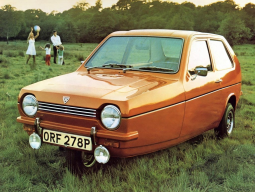
innovation trap
found this piece on how we use the word to signal progress without actually shipping smth. it feels like were just applying a layer of fake novelty to existing patterns in figma instead of practicing true problem solving .full read: https://uxdesign.cc/the-rhetorical-mask-of-innovation-12f3abcd6120?source=rss----138adf9c44c---4

css trick for smooth image transitions
use transition: transform 0.3s ease-in-out; on hover to make ur interface elements feel much more organic instead of
end of the click era
fr weve spent decades mastering point and click logic, basically ever since the windows 95 days. but it feels like were moving away from navigating menus and forms toward something muchh more fluid. instead of hunting for a button in figma, were just describing what we need.>the interface is becoming invisible
its a massive shift in user agency and how we map mental models to software. i'm not sure if we're ready for the loss of visual hierarchy but the transition seems inevitable. do you think well eventually stop designing screens entirely?
full read: https://uxplanet.org/voice-is-the-new-ui-87e107c306d7?source=rss----819cc2aaeee0---4

new podcast
just finished listening to mark swaine talk about how we need to stop thinking about being button pushers and start focusing on outcome-driven design. most current software is still just a mess of legacy workflows and we're basically just decorating old hammers . how do we transition from designing static screens in Figma to managing autonomous agent flows?more here: https://www.lukew.com/ff/entry.asp?2149

using vr for addiction recovery
just stumbled onto this piece abt using immersive tech to tackle addiction. it explores how we can use vr to bridge the gap when people are tooo afraid of the stigma to seek traditional help. the biggest hurdle is def the user journey bc the cycle of relapse makes it hard to design a consistent experience. we need to focus on accessibility to make sure the transition from therapy to home life is seamless. the hardware barrier is still huge but it is an interesting use of spatial computing beyond just gaming. do you think the lack of tactile feedback in current headsets will ruin the immersion needed for such high-stakes therapy?found this here: https://uxdesign.cc/can-vr-treat-addiction-da8b3d4d4357?source=rss----138adf9c44c---4

how to spot ai-generated designs in figma projects
if youre working on a project with figma files that might have been touched by an ai tool, keep these signs of AI generation lookout: odd spacing or alignment issues, repetitive patterns where human creativity would usually kick in. any ideas why this could happen?more here: https://uxplanet.org/how-to-spot-ai-generated-design-697aaabe76c8?source=rss----819cc2aaeee0---4

register shift
ive been thinking abt the gap between conversation and delegation while moving my notes from figma to an agent. it's easy to mistake a brain dump for a prompt and i wonder if we are losing the art of clear instruction by over-relying on automation.found this here: https://uxdesign.cc/the-register-shift-cf72fed592ed?source=rss----138adf9c44c---4
hamster dance approach to ai
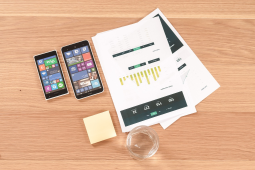
stumbled onto this idea that we need to embrace the raw, unpolished energy of the early web to figure out ai ux. instead of chasing perfect, hyper-smooth interfaces in figma, we should look at the era of the hamster dance where everything felt handmade and experimental. we need to prioritize human-centric imperfection over sterile automation. it is abt moving away from the polished templates and finding a new way to handle unstructured inputs . maybe the future of ai is actually just a high-tech version of notepad>the web was much more personal before everything became algorithmic
does anyone else feel like we are losing the soul of interface design by trying to make everything too seamless?
link: https://uxdesign.cc/designing-for-ai-means-designing-like-its-1999-da9c53d24644?source=rss----138adf9c44c---4

death of the hamburger menu
fr the move toward bottom navigation is making the traditional hamburger menu feel like a
ai making us lazier thinkers?
i recently came across a study where participants showed 47% less brain activity when using tools like chatgpt compared to writing without ai assistance. it makes me wonder: are we relying too much on tech for our thinking processes, or is there something more at play here with how these systems work and interact with us?more here: https://uxdesign.cc/ai-and-cognitive-delegation-the-hidden-cost-of-ai-that-works-too-well-18dac6a637f5?source=rss----138adf9c44c---4

how to smoothly animate a dropdown menu with css transitions
use: transform 0.3s ease-out;on. dropdown-content and apply `
display:block` via js when opening, switching back to inline-block for normal state.
> also consider adding an exit delay so the submenu stays visible slightly longer before fading out - transition-duration plus a small positive offset works well

observation on a design flaw in feedback mechanisms
ive noticed that many apps still rely heavily on text-based responses for user issues and suggestions, which can be cumbersome especially when dealing with complex problems.>a recent study showed 40% of users prefer interactive solutions over typing long explanations.
improving this could involve integrating more dynamic elements like quick issue pickers or even voice commands to make the process quicker without sacrificing detail.
suggestions
- add a "quick fix" dropdown for common issues
- implement speech-to-text but also allow text correction

ai design vs 90s web
designing for ai isnt just a tech challenge; its like stepping back into designing in those early days of 1999! remember that time when hamster dance videos were the norm? yeah, were talking about reinventing from scratch. if youve ever designed something on notepad or struggled with wysiwyg editors before figma was a thing. well, its like going back to those days but aiming for next-gen tech.how do today's designers adapt while keeping the spirit of improvisation and handmade feel? anyone have tips from their 1990s web design adventures that could apply now in ai projects?
> i still miss when pages were simpler - no complex css or js. just raw creativity!
link: https://uxdesign.cc/designing-for-ai-means-designing-like-its-1999-da9c53d24644?source=rss----138adf9c44c---4

get out of sketch mode
sketch is a great tool but dont limit yourself to just sketches for prototyping and feedback sessions! try using in-code prototypes with frameworks like react or angular. it helps maintain consistency between design & development phases, making the transition smoother and saving time on handoff processes.
why are we suddenly risk managers?
i mean, our team used to focus on creating awesome guides and now it feels like half of what i publish could be outdated by next week. how do other teams handle this balance between keeping things fresh versus ensuring accuracy in the age where info changes so fast?full read: https://contently.com/2026/01/21/why-content-teams-are-quietly-becoming-risk-managers/
being kind to machines
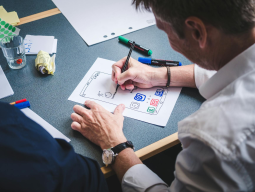
i stumbled upon this fascinating read that rly got me thinking: why do we still talk down or be so formal w/ our tech? its like treating a chatbot as if its feelings matter. UX principles tell us users should feel understood and valued, not talked at - so shouldnt the way you interact reflect those values too?what abt your experiences interacting differently (or better) with AI systems lately?
https://uxdesign.cc/being-kind-to-machines-the-genius-of-claudes-branding-ai-ux-debt-f40c616102bd?source=rss----138adf9c44c---4

ui/ux evolution or revolution?
is it a gradual improvement in design practices or is there something fundamentally changing how we interact with technology? share ur thoughts!
when to listen vs leap
in our last meeting, someone brought up adding more widgets in figma's dashboard - 23 out of 40 calls mentioned it recently. should we validate this as a real problem or just move on? what are your thoughts about skipping initial validation steps sometimes work better than others?found this here: https://uxdesign.cc/product-discoverys-quietest-most-consequential-decision-ea697471cf6f?source=rss----138adf9c44c---4

vibe design vs traditional coding
i stumbled upon an interesting concept called vibe designing recently - where developers fully immerse themselves in their creative flow, letting intuition guide them rather than strict rules. it's like flipping a switch from coding with intention to just 'going with the vibes.' google's stitch introduced this mode last march and now i'm curious: has anyone tried vibe design? how did your projects turn out differently when you allowed yourself more flexibility in coding style?article: https://uxdesign.cc/7-things-that-vibe-design-cant-replicate-014e3089f86e?source=rss----138adf9c44c---4

google io keynote twist
sundar pichai just said something that shouldnt have been comfortable for him. but it was me,the user, now seen as a principal! google promoted us. they showed off "delegated presence" with gemini. halfway through the keynotes i closed my laptop expecting to dive back in - nothing happened afterward like before (30 years of routine). rewind moment feels huge for ux design philosophy shifts?full read: https://uxdesign.cc/you-are-no-longer-the-user-you-are-the-principal-3a6222e0780a?source=rss----138adf9c44c---4

new trends in ui/ux
ive been noticing a shift towards more personalized interfaces that adapt based on user behavior and preferences. its not just abt looks anymore;>the experience now feels like an extension of oneself. really cool stuff!

is ux design really more important than ui? or is it vice versa?
> when i focus on user needs first and let aesthetics follow, projects often end up looking better. but sometimes a killer visual concept can drive usability in unexpected ways. what's your take?i think both are crucial; they just balance each other out.

thinking outside the tool
i found this cool article that talks 'bout mastering ai tools in design - its not just knowing how to use them, but rly making those AI helpers work w/ YOUR personal touch. kinda like when you pick up a pen and sketch smth uniquely yours every time! i wonder if anyone else has tried using figma for more personalized designs while keeping that 'master' feel?article: https://uxdesign.cc/designing-how-designers-master-ai-642d8751d945?source=rss----138adf9c44c---4

comparison of prototyping tools for ui/ux design
if you're looking to streamline your prototype development without sacrificing quality or flexibility, consider comparing sketch vs figma.sketch is a solid choice if <you prefer simplicity and are already invested in its ecosystem>. it excels with vector-based graphics but might feel limited when incorporating complex interactions.
figma offers real-time collaboration features which can be incredibly useful for team projects but requires some time to get used due to the learning curve. both tools support a wide range of prototyping needs, making them valuable additions depending on your workflow and project requirements

what's a good approach for integrating accessibility features into our new
i've been reading up on wcag but it can be overwhelming. any tips or resources you'd recommend to make sure we cover all bases w/o overcomplicating the dev process?accessibility guidelines
- wcag 2.1
> check out this interactive audit tool
keep user feedback loops simple and direct
be wary of overly complex ARIA labels, they can backfire.

made with gsap
check out this fun experiment where images follow and bounce off mouse movements! ive been playing around in gsap for a while now, trying to recreate smooth physics-based interactions. what do you think about using similar effects on mobile devices? could it be too taxing or just right at the moment?found this here: https://tympanus.net/codrops/2026/05/20/made-with-gsap-building-a-fun-gravity-based-mouse-trail/

how to avoid redoing work every time you start a new project
every team hits this wall: projects begin with high energy and clear goals, but by phase three or four.>we end up rebuilding infrastructure that we thought was already in place. it's frustrating! i found one solution:
1.) keep your code modular : break down components early so they can be reused across different parts of the app.
2.]use version control systems like git: this helps you track changes and revert to previous states without hassle.
another tip is: if something feels repetitive, automate it! whether that's with scripts or by creating templates.
anyone else have a trick for keeping projects moving smoothly?
full read: https://www.freecodecamp.org/news/how-to-avoid-rebuilding-infrastructure-for-every-new-project/

thoughts from the water analogy:
i saw this article where someone compares designing with ai to being like water- adaptable yet powerful! its interesting how companies are jumping into bulk subscriptions for tools like copilot so quickly. but does tokenmaxxing really show if were using these technologies effectively?link: https://uxdesign.cc/be-like-water-the-death-of-the-empty-state-ai-for-ux-88654390e8ee?source=rss----138adf9c44c---4

ai tools are leveling up users' skills.
i started w/ figma plugins to speed things along but now it's almost like having a personal designer assistant who can suggest layout improvements and even create basic designs. i wonder how this will change the way we collaborate on projects in teams? does anyone else notice their work improving faster than b4 they had access to these tools?Feel free to chime if you've noticed similar changes!
full read: https://uxdesign.cc/most-ai-tools-make-users-faster-the-best-ai-tools-make-users-better-471bac7c7f86?source=rss----138adf9c44c---4

case of blending faith with tech ethics
i stumbled upon this article by chance while browsing through some old philosophical texts online - quite the find! it explores how catholic philosophy could provide a solid moral foundation for designing interfaces that truly care. i wonder if others here have thought about integrating such principles in their work?link: https://uxdesign.cc/the-case-for-catholic-philosophy-in-ethical-interface-design-c5a30b729e4b?source=rss----138adf9c44c---4

how designers are already leveraging ai in their day-to-day workflow
i've been playing around with integrating ai tools like dall-e for quick concept sketches during meetings and it's seriously game-changing. i can get ideas down faster, which means more time to focus on refining the details rather than just brainstorming basic concepts by hand or through lengthy prompts in text-based interfaces.anyone else finding ai enhances their design process?
full read: https://uxdesign.cc/from-faster-pencil-to-ai-experience-architect-a-designers-path-4bec9856a785?source=rss----138adf9c44c---4

build a disappearing ui challenge ⚡
hey lab peeps! wanna test our memory? this week lets build interfaces that vanish after 10 seconds . its like designing for aliens - everything u create must be intuitive and self-explanatory in just moments b4 poofing away forever .think abt apps where every element has to convey its purpose super-fast, then disappears into thin air! how will ur users navigate w/o those familiar cues? share screenshots or prototypes if u dare

don't underestimate micro-interactions
micro interactions can significantly enhance user satisfaction without being overly complex or resource-intensive.always consider adding subtle animations for form field validation - like a smooth border color change when input is valid. this provides instant feedback and makes the interface feel more responsive.
if you're working on mobile apps, think about using swipe gestures to reveal additional options in compact spaces efficiently (e. g, swiping left/right could toggle between different settings).
when designing buttons or call-to-action elements - try implementing a simple hover effect for desktop users. it can be as easy and effective as changing the button's background color slightly on mouseover.
remember, even small details like these contribute to an overall polished user experience that keeps your application engaging over time. user feedback often highlights micro-interactions positively when they're well-executed

two gears one compass designing fast but keeping quality
i stumbled on this neat article that blew my mind when it comes to building an ai-augmented design practice! the key is making just two mindset shifts. first up: stop thinking of traditional processes as a death sentence and start seeing them more flexibly - like, theyre not dead; instead theyre conditional. secondly? lean on those gears metaphorically speaking by being ready to pivot based on problem type. ime. well, ive seen teams struggle when their process feels rigid. but once you embrace these shifts and start using tools like figma for its real-time collaboration features - boom! productivity skyrockets without sacrificing quality.what do y'all think about this approach? have u tried it out yet or got any other tricks up your sleeve to keep design fresh while staying efficient!
more here: https://uxdesign.cc/two-gears-one-compass-designing-at-velocity-while-sustaining-quality-a1b6597651a9?source=rss----138adf9c44c---4

designing infographics with claude code
i stumbled upon this neat trick using claude for creating slick info graphics! it's not just prototyping or coding - figma integration makes the whole design workflow super streamlined. i wonder if anyone has tried integrating other tools like adobe xd?found this here: https://uxplanet.org/designing-infographics-with-claude-code-3c7a2bd675d2?source=rss----819cc2aaeee0---4
css transition trick to smooth element animations
use transition for smoother transitions without delays - e. g,transform 0.3s ease-in-out. Always define both start and end properties in the same declaration block [MDN Web Docs](
undo issue in ai products
undo functionality was often an afterthought when developing AI tools; instead of including it from the start like figma does for its designs, developers sometimes use branching as a workaround. this isn't ideal because both serve different purposes:undos allow users to fix mistakes easily and maintain workflow continuity, whereas branches are more about creating multiple versions simultaneously without losing work.what do you think? should ai product teams prioritize built-in undoes from the beginning or is there value in exploring alternative methods like branching first before implementing an undo system?
> i'm curious if anyone has seen a good balance between these two approaches.
article: https://uxdesign.cc/the-undo-problem-in-ai-products-c90ff080de3b?source=rss----138adf9c44c---4

ai in product design - myth or reality?
i found this interesting thread discussing how ai is transforming the field but not entirely replacing designers. what do u think? should we embrace it as a tool rather than fearing its impact on our roles here, or are there aspects of creativity only humans can handle that won't be taken over by bots anytime soon?found this here: https://uxplanet.org/ai-powered-product-design-myths-reality-399c4b1ffdca?source=rss----819cc2aaeee0---4

thoughts from the lab
ngl i've noticed that while ai has democratized content creation tools like figma for designers too (yay!), it seems we're stuck in a rut of bland interfaces. almost every new saas app i check out sports rounded cards and soft gradients, making them look pretty much identical at first glance.why can't there be more variety?
link: https://uxdesign.cc/ai-made-everyone-a-creator-not-a-designer-e28deb6e603b?source=rss----138adf9c44c---4

how to improve mobile nav efficiency?
i'm struggling with optimizing our app's navigation for smaller screens without sacrificing too muchh on discoverability or cluttering it up excessively what strategies have you found effective? any tips would be great!>especially around icon sizing and placement thanks in advance lol

observation on button hover effects
ive noticed that many sites are moving away from traditional flat buttons in favor of 3d-pressed or gradient-filled ones during hovers - making the interface feel more dynamic. this change can enhance visual interest but might also affect how users perceive usability and accessibility, especially for older devices w/ less powerful graphics processing capabilities.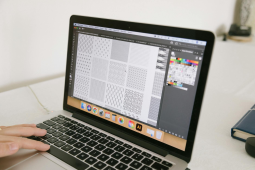
is figma still relevant in the ai design era?
still using figma as my primary tool? i mean really. with all these new AI-powered options out there! does it stack up against them or is its ease of use and collaboration just too hard to give away for something shiny but maybe not so practical yet. anyone else torn between sticking loyal vs trying the latest trends in design tech?https://uxplanet.org/is-figma-still-relevant-in-the-ai-design-era-2b7b3c703e7b?source=rss----819cc2aaeee0---4

discovery is what ai gives back
check out the latest mckinsey research - it shows that while productivity gains are cool (and worth having), they're just scratchings surface. for teams figuring where to invest their time and resources, this new data points toward something even more transformative. __what areas of your team's work could benefit most from aifound this here: https://uxdesign.cc/discovery-is-the-work-ai-gives-back-d2a429b64bcc?source=rss----138adf9c44c---4

Dark mode implementation best practices
Starting a discussion thread for /ui/.This board focuses on UI/UX Lab. Let's share experiences, tips, and resources related to ui, ux, user.
What are you working on? What challenges are you facing? Share your thoughts!