Tinkercad
Autodesk's revolutionary browser-based 3D design platform that has democratized CAD education and design thinking for millions worldwide. Tinkercad exemplifies excellence in educational technology, combining intuitive design with powerful capabilities that bridge the gap between imagination and creation for students, educators, hobbyists, and makers across the globe.
Visit Website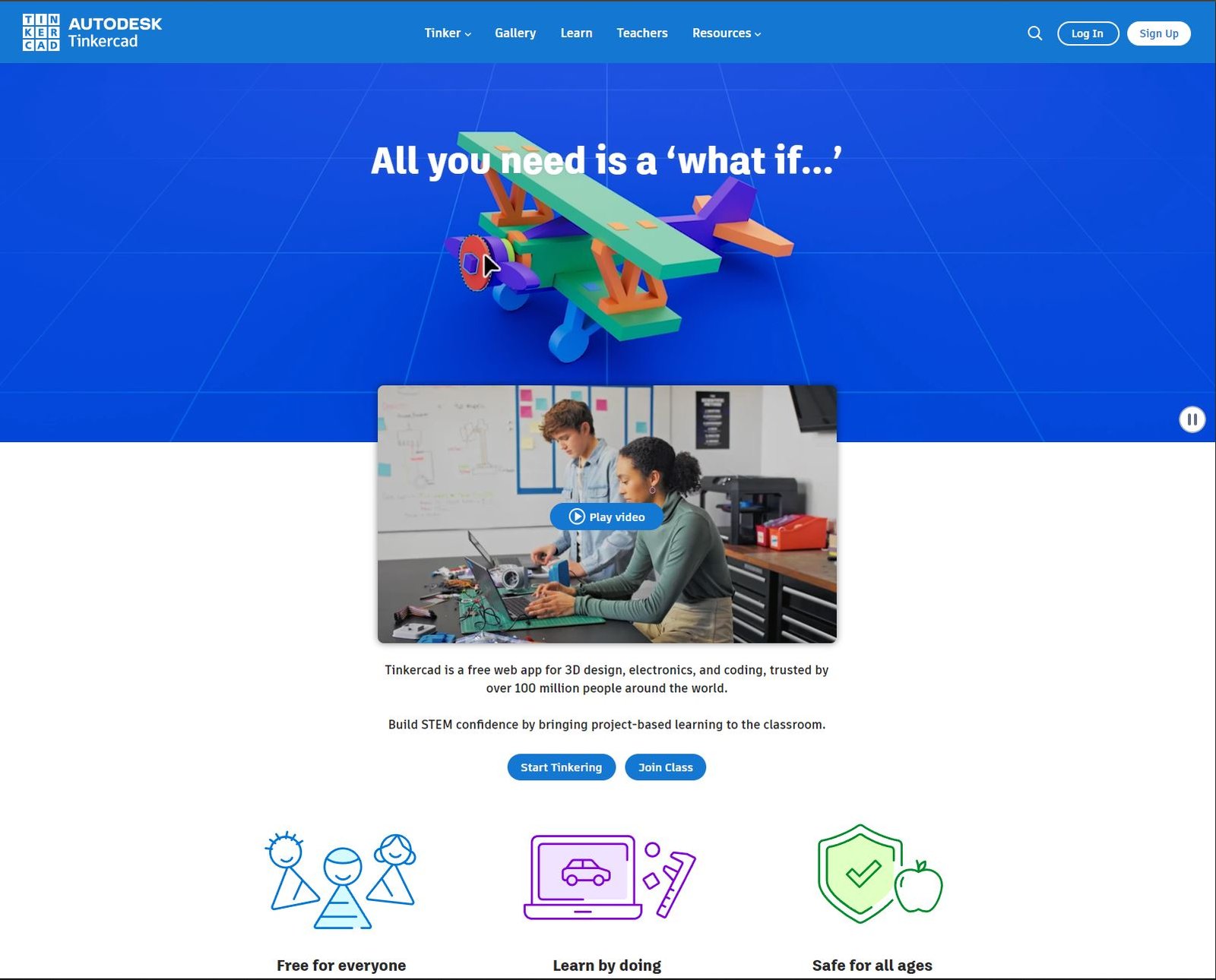
Why We Chose Tinkercad
Tinkercad represents a paradigm shift in how design software is conceived, delivered, and experienced. By eliminating traditional barriers to entry—installation requirements, expensive licenses, steep learning curves—Autodesk created a platform that makes 3D design accessible to anyone with a web browser. This democratization of design tools has profound implications for education, innovation, and creative expression worldwide.
What sets Tinkercad apart is its masterful balance between simplicity and capability. The interface welcomes complete beginners with colorful, intuitive controls and helpful tutorials, while providing enough depth to create genuinely sophisticated designs. This careful calibration allows users to progress naturally from basic shapes to complex assemblies, circuits, and code-based designs without ever feeling overwhelmed or limited.
The platform's educational impact cannot be overstated. Tinkercad has become essential infrastructure in classrooms globally, introducing millions of students to CAD, 3D printing, electronics, and programming concepts through hands-on creation. The website's design reflects this educational mission through thoughtful onboarding, extensive learning resources, and a supportive community ecosystem that encourages experimentation and sharing.
Design & User Experience Excellence
Intuitive Interface
Brilliant use of visual language and progressive disclosure makes complex 3D operations accessible through simple drag-and-drop interactions
Browser-Based Power
Full-featured CAD capability running entirely in the browser with no installation, no downloads, just instant access from any device
Educational Excellence
Comprehensive lesson plans, teacher resources, and curriculum integration materials supporting educators worldwide
Multi-Disciplinary Platform
Seamless integration of 3D design, electronics simulation, and code blocks teaching multiple STEM concepts simultaneously
Technical Implementation & Performance
Tinkercad's technical architecture represents remarkable engineering achievement. Running a full-featured 3D CAD application entirely in the browser, with real-time rendering and manipulation, requires sophisticated WebGL implementation and efficient geometry processing. The platform handles complex operations smoothly even on modest hardware, making it accessible to schools and individuals with limited resources.
Interface Design & Interaction Paradigm
Tinkercad's interface design demonstrates deep understanding of cognitive load and progressive skill development. The workspace presents exactly the tools needed for the current task while keeping advanced features accessible but not overwhelming. The shape panel uses familiar metaphors—basic geometric shapes anyone can understand—as building blocks for increasingly complex creations.
The 3D viewport employs intuitive manipulation controls that feel natural even to first-time users. Click-and-drag operations behave predictably, the workplane concept simplifies 3D thinking, and visual feedback confirms every action. This careful attention to interaction design eliminates the frustration typical of CAD software, replacing it with the joy of immediate, tangible results.
Color coding and visual hierarchy guide users through the design process. Shapes use distinct colors that aid identification in complex assemblies. Tool categories employ consistent iconography. Status indicators provide clear feedback about model validity and export readiness. These design decisions accumulate into an interface that feels cohesive and professional while remaining approachable.
Educational Innovation & Learning Design
Tinkercad's approach to education goes far beyond providing tools—it creates comprehensive learning experiences. The platform offers structured curricula aligned with educational standards, lesson plans for teachers, and guided projects that teach specific concepts through hands-on creation. This integration of pedagogical expertise with technical capability makes Tinkercad invaluable in educational settings.
The learning curve is brilliantly managed through progressive disclosure and contextual guidance. New users encounter simple projects that build confidence before introducing more complex concepts. Tutorials are embedded directly in the workspace, eliminating context switching. Hints appear when users might need them, offering just-in-time learning that doesn't interrupt creative flow.
Perhaps most importantly, Tinkercad makes learning social and collaborative. The gallery showcases student work, providing inspiration and motivation. Classroom features enable teachers to manage assignments, review student work, and provide feedback directly within the platform. This social scaffolding transforms solitary design work into community learning experiences that engage students more deeply.
Cross-Disciplinary Integration & STEM Education
Tinkercad's expansion beyond pure 3D modeling into circuits and code blocks demonstrates remarkable vision for integrated STEM education. The circuits mode allows users to design electronic circuits, simulate their behavior, and even generate code for physical implementation. This bridges the gap between digital design and physical making, teaching electronics concepts through visual, interactive experimentation.
The code blocks feature introduces programming concepts using visual block-based coding that generates actual 3D geometry. Students learn computational thinking by creating parametric designs, exploring how code can generate form. This connection between programming and visible results makes abstract coding concepts tangible and motivating for learners who might not engage with traditional programming instruction.
By combining 3D design, electronics, and programming in one coherent platform, Tinkercad teaches systems thinking. Students see how different disciplines interconnect—how code controls electronics, how electronics need physical housings, how design constraints affect functionality. This holistic approach prepares students for real-world problem-solving that rarely fits neatly into single-discipline boxes.
Community Features & Knowledge Sharing
The Tinkercad gallery functions as both portfolio platform and learning resource. Users can publish designs publicly, allowing others to view, copy, and modify their work. This openness accelerates learning—students can examine how experienced designers approached specific challenges, adapt techniques to their own projects, and contribute improvements back to the community.
Search and discovery features help users find inspiration and solutions. Need to design a phone stand? Search the gallery for examples and adapt them to your specific phone model. Want to learn a new technique? Find projects that demonstrate it and reverse-engineer their construction. This community knowledge base supplements formal tutorials with practical, peer-generated learning resources.
The platform's approach to attribution and remixing establishes healthy norms around intellectual property and collaboration. When users copy designs, attribution is maintained automatically. This teaches important lessons about giving credit while encouraging the iterative improvement that drives innovation. Students learn that standing on others' shoulders isn't cheating—it's how design communities advance collectively.
Accessibility & Global Reach
Tinkercad's commitment to accessibility extends beyond technical accessibility features to encompass economic and educational access. By remaining completely free and browser-based, it removes financial barriers that exclude many students from design education. Schools in resource-limited areas can offer CAD instruction with nothing more than basic computers and internet access.
The platform's modest system requirements mean it runs well on older hardware and Chromebooks, devices common in educational settings. Cloud-based storage means students can access their work from any device—starting a project at school and continuing at home or the library. This flexibility accommodates diverse living situations and learning environments.
Multi-language support extends Tinkercad's reach to non-English-speaking communities worldwide. The interface localizes naturally, and the visual nature of 3D design transcends language barriers. A student in rural India and another in urban Brazil can both engage meaningfully with the same intuitive tools, democratizing access to design education globally.
Industry Impact & Vision for the Future
Tinkercad has fundamentally changed expectations for educational software. By proving that powerful, professional-grade tools can be made accessible and free, it has raised the bar for educational technology across all subjects. The platform demonstrates that student-facing software doesn't need to be simplified to the point of meaninglessness—thoughtful design can make sophisticated tools approachable.
The platform's influence extends beyond education into the maker movement and professional prototyping. Many makers use Tinkercad for rapid conceptualization before moving to more specialized CAD tools. The ability to quickly sketch ideas in 3D, test them with basic simulations, and export for 3D printing has accelerated the prototyping cycle for countless projects from personal hobbies to startup products.
Looking forward, Tinkercad's continued development under Autodesk suggests exciting possibilities. As WebAssembly and browser capabilities improve, more advanced features become feasible. The integration of AI assistance for design suggestions, automated optimization, and intelligent tutorials could further lower barriers while teaching increasingly sophisticated concepts. Tinkercad's trajectory points toward a future where anyone, anywhere can engage meaningfully with design thinking and digital fabrication.
